





BC Poker Download India: Get the Poker App for Android, iPhone and Windows
BCPoker mobile access gives players in India several ways to play from smartphones and other supported devices. Android users can install the app through the official APK or Google Play route, while iPhone users can access the platform through Safari and a Home Screen shortcut. From these mobile options, players can enter the BCPoker room and access available poker games and account features.
Key Takeaways
- How Android users can choose between the official APK and Google Play routes;
- What installation steps apply to Android, iPhone and Windows devices;
- How one BCPoker profile remains available across supported access methods;
- What poker, payment and account functions are available after setup.
Download the official version for your device to open your existing poker account from a supported client.
BCPoker Android Setup Choices for Direct APK and Store Installation
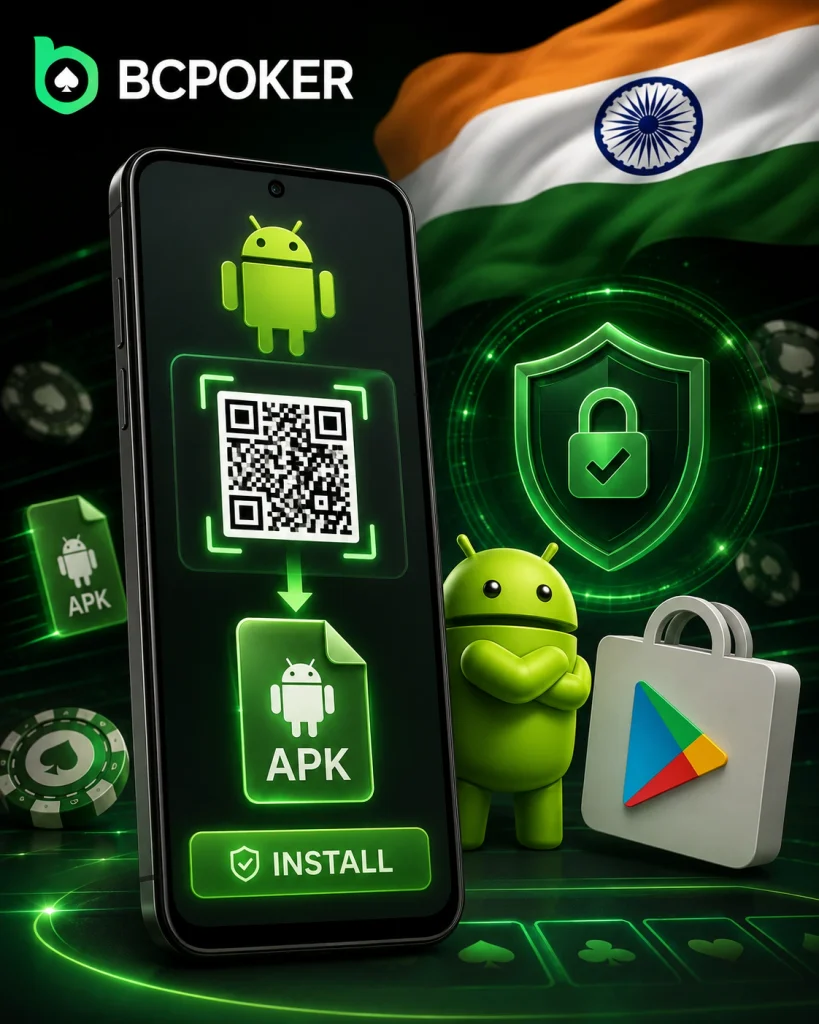
The BC Poker APK comes from the official page or QR route. It provides the installer directly. Google Play remains separate.
Security Permission, QR Code and APK Launch Sequence
Android may request external-installation permission first. Grant it only for that file. Use this sequence.
- Open security settings: go to Settings, open Security and allow Unknown source.
- Confirm permission: approve the requested change.
- Get the installer: download it or scan the official QR code.
- Launch the package: open the file and approve installation.
Do not transfer it through unknown websites. Repeat permission only if Android asks again.
Google Play Route with QR Access and Exclusive Activation
The BC Poker download starts from the official Google Play link or QR code. This route avoids manual APK opening. Treat both methods separately.
Store Download, Exclusive Link and First Sign-In
Install it from Google Play through the official route. Use the Exclusive Link before first sign-in. Then open the client with your existing credentials.
Setting Up BCPoker on iPhone Through Safari
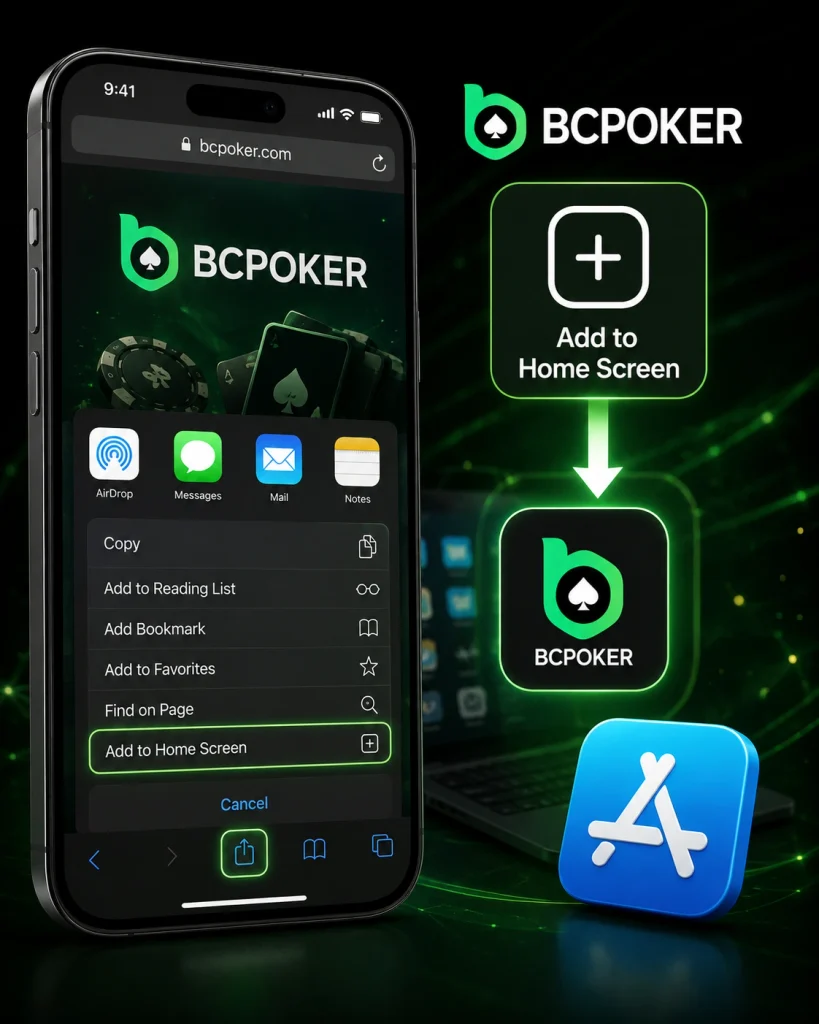
BCPoker can be added to an iPhone directly through Safari as a Home Screen shortcut. This gives players quick access to the mobile version in a full-screen format without searching for the site each time.
Safari Steps for Adding BCPoker to the Home Screen
Follow the official iPhone setup sequence:
- Open the official BCPoker website in Safari.
- Tap the Share icon in the Safari toolbar.
- Select Add to Home Screen from the available options.
- Confirm the BCPoker shortcut by tapping Add.
- Open BCPoker from the new Home Screen icon and sign in to your account.
BCPoker Desktop Client Setup on Windows Computers
The BCPoker APK belongs to Android, while Windows uses BCPokerSetup.exe. Windows may show its protected-PC warning on first launch. It concerns the desktop executable.
More Info, Run Anyway and Antivirus Recovery
The first run may require Windows confirmations. Use the system prompts without changing unrelated settings. Follow this order.
- View details: choose More info.
- Continue setup: select Run anyway.
- Approve access: select Yes in User Account Control.
These prompts usually appear only once. If antivirus removes the file, restore it through Windows Security and Protection history, allow it, then run it again.
Playing from a Smartphone in India Without Losing Poker Functionality
Mobile access in India supports active poker sessions. Cash games, tournaments and core poker areas remain available. You can move between lobby and tables from a phone.
Cash Tables, Tournaments, Spin & Go and Four-Table Sessions
Spin & Go sits alongside regular tables and tournament choices. The vertical interface supports up to four simultaneous tables. It can switch to the table requiring your action.
Switching Devices While Keeping the Same Poker Profile
One registration works across supported devices. You do not need separate profiles for each version. This suits phone-to-computer switching.
Balance, Settings and Registration Data Across Sessions
Balance, settings and profile functions stay tied to one identity. Registration supports email or phone number, plus additional sign-in methods. Keep the same profile details.
BCPoker Mobile Registration Rewards and Seven-Day Newcomer Missions
After downloading the BC Poker app, new users can receive $5 and a 7-day welcome bonus worth up to $130. As part of this promotion, three tasks are updated daily over the course of seven days. These rewards are available only to new users.
$5 App Reward, $130 Gift and VIP Progress
New users who register through the BCPoker app can receive a $5 Registration Reward together with a 7-Day Newcomer Gift worth up to $130. The newcomer programme refreshes three tasks each day for seven consecutive days.
Funding a Mobile Poker Balance in India with INR and Crypto
Indian users can manage funds from the mobile cashier. INR funding includes UPI and UPI App when shown for the session. Use the account cashier.
UPI, UPI App and Supported Digital Assets
Crypto deposits support USDT, USDC, BTC, ETH, BNB and SOL. Select the asset before transferring funds. Match the chosen coin with the correct blockchain network.
Using the App for Poker Games, Freerolls and Tournament Access
The installed client connects to the main poker lobby. Cash tables, tournaments and freerolls are available after sign-in. The lobby handles selection.
Hold’em, Omaha, Short Deck and Mobile Event Entry
Formats include Texas Hold’em, Omaha, Short Deck, Spin & Go and Sit & Go. Choose the required table or event through the lobby. Stakes and entries appear there.
BCPoker Safe Installation, Account Protection and Help in India
Residents of India are advised to download the BC Poker app exclusively from the official website, the official app store, or via a QR code.
Two-factor authentication protects access to your profile, and monitoring systems track suspicious activity and prevent abuse via emulators or remote control tools. If you encounter any issues with installation or your account, you can contact the 24/7 online chat or the official support team via email.
BCPoker states that “Proof of Reserves” ensures a 1:1 coverage ratio for user assets, and that its random number generator (RNG) is auditable. The published control measures also include:
| Protection area | Published control |
| Data security | AES encryption protects platform information. |
| Table integrity | AI monitoring targets collusion and bots. |
| Hand checks | Public-key and hash checks verify completed hands. |
These measures support careful installation rather than replacing it. Use official entry points for reinstalls and sign-ins.